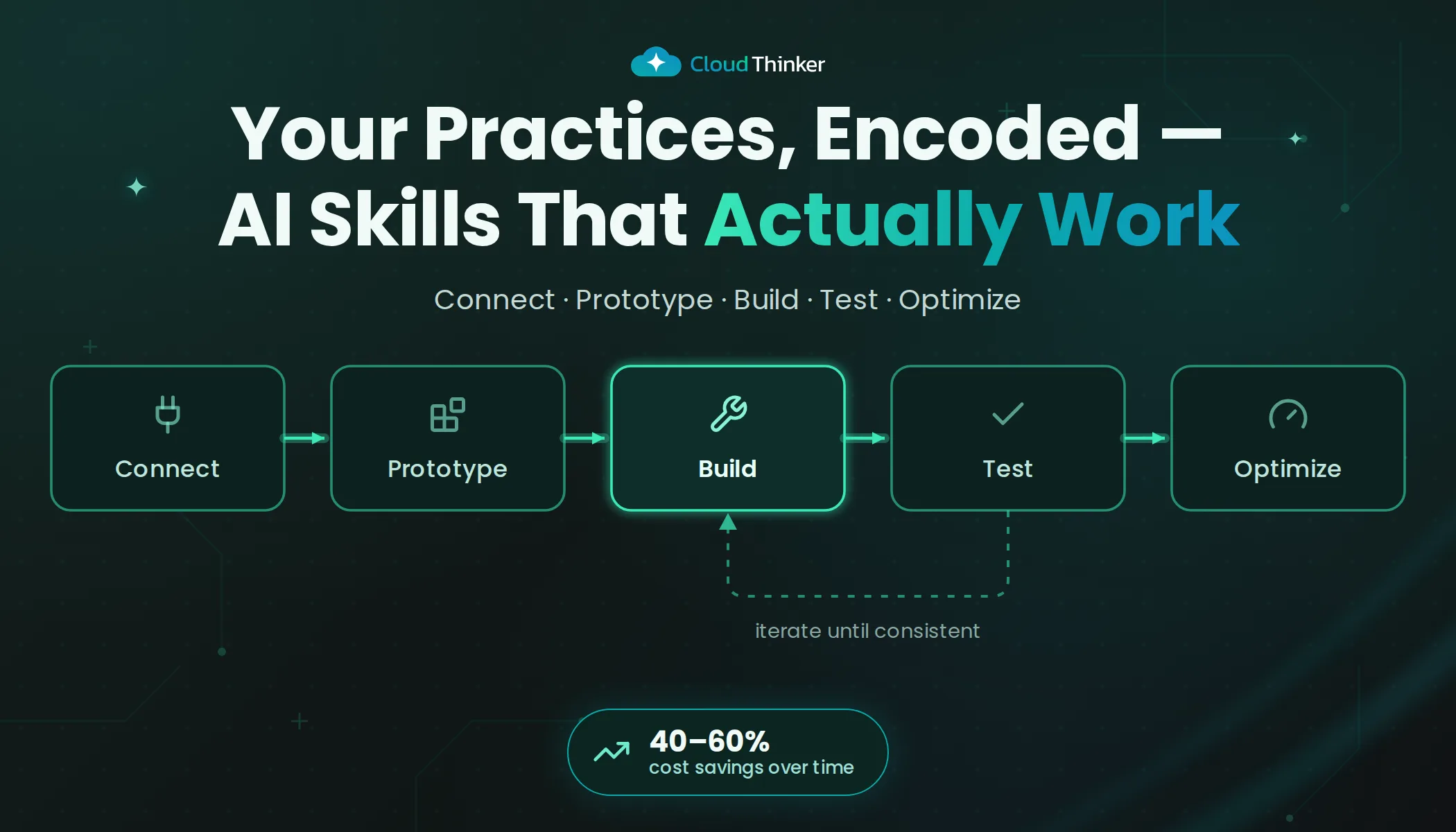
Best Practices: How to Build AI Skills That Actually Work for Your Business
Let me tell you about a mistake I've watched dozens of teams make.
They open the Skills Hub, spot a Kubernetes cost-optimization skill that looks like exactly what they need, clone it, enable it, and send their first message. The agent responds. But the output is... off. Generic. References a connection that doesn't exist. Uses terminology nobody on the team recognizes. Falls back to guessing.
They tweak the description, re-enable it, try again. Still broken.
An hour later, the skill is disabled and the team is back to doing the work manually.
Here's the thing: the skill wasn't broken. The approach was.
The Real Problem Isn't Your Tools — It's Your Daily Operations
Most engineering teams aren't suffering from a lack of monitoring. They're drowning in it.
The average enterprise runs 7–12 tools for cloud operations — monitoring, alerting, security, cost, CI/CD. Each one solves a corner of the problem. Nobody solves end-to-end. The result? Ops teams spending 60–80% of their time triaging alerts instead of fixing anything. SREs getting paged at 2 AM for incidents that should have resolved themselves. Junior engineers paralyzed because they can't cross-reference a deployment, a cost spike, and a security finding in real time.
This is what CloudThinker Skills are actually designed for — not abstract automation, but operations that fix themselves.
A skill isn't a saved prompt. It's a complete workflow: it detects the problem, analyzes the root cause, resolves it, validates the fix, and delivers a report with evidence. The difference between a skill and a cloned template is the difference between a solution and a starting point.
Here's how to build skills that actually do this for your business.
Why Cloned Public Skills Always Break
Public skills are built for everyone — which means they're optimized for no one in particular.
They assume a generic environment: generic tool names, generic connection patterns, generic output formats. They don't know whether you use prod-eks-us-east-1 or k8s-production. They don't know whether your cost reports go to Slack or Google Docs. They don't know your on-call rotation, your severity taxonomy, or the 2019 naming convention your namespaces still follow.
When a cloned skill hits your environment, it breaks in three predictable ways:
- Wrong tools — references integrations you haven't set up, or set up differently than assumed
- Wrong connections — credential scope, account alias, region — all assumed, none confirmed
- No context — the skill was built in someone else's workspace, with their history. Yours is invisible to it
The deeper problem is what you miss when you clone instead of build: connected intelligence.
Your most valuable skills don't just call one tool. They cross-reference your incident history with your recent deployments. They know which services are exposed to the internet and which sit behind a firewall. They correlate a cost spike with a security event that happened four hours earlier. That context doesn't exist in a public skill — it exists in your workspace, built from your conversations, your tools, your data.
Public skills are blueprints. Connected custom skills are the actual operations team.
Want to understand how connections and credentials power this context? The Connections guide explains how CloudThinker links to your infrastructure securely.
Step 1: Connect Your Environment Before Writing a Single Instruction
I know this sounds obvious. It isn't.
The most common skill-building mistake is jumping to instructions before the environment is ready. You write beautifully structured steps, deploy the skill, run it — and it fails because the AWS connection you need hasn't been configured with the right IAM scope.
Before you write anything, make sure:
- Every tool the skill will call is connected in your workspace
- Credentials are scoped to the right accounts, clusters, and regions — not just the dev environment you have open right now
- You've verified it actually works — not just that it shows green in the connections list
Here's the test I always recommend: ask your agent to run the task freehand in conversation before you encode anything. Just type it naturally. "Pull me the CPU utilization for my EKS nodes in us-east-1 over the last 24 hours." If the agent stumbles, you've found the gap before it becomes a hidden bug inside a skill you can't easily inspect.
Connection quality is the foundation. Skip this step and you'll spend hours debugging a skill that should have taken ten minutes to validate.
Step 2: Run the Full Pipeline in One Conversation First
This is the rule that changes everything — and the one almost nobody follows.
Here's how most people build skills: think about what you want, write instructions from memory, save, test, realize something's wrong, edit, test again. Repeat until it sort of works.
Here's how you should build skills: complete the entire workflow in a single conversation first. From the first tool call to the final formatted output — run the whole thing live. Correct it in real time. Push the agent until the result is exactly what you'd hand to your team. Only then do you turn it into a skill.
Why does order matter? Because a skill is a distillation of a working pipeline. If your pipeline has rough edges — the agent needed three corrections to get the formatting right, you had to tell it to exclude dev namespaces, it missed a key field in the output — those rough edges must be resolved before you encode them. If you skip this step, you're packaging guesswork.
The loop:
- Converse — run the full workflow in one chat, end to end, on Ultra
- Tune — keep going until the output is exactly right. Don't stop at "good enough"
- Extract — take what worked and write it as skill instructions: the steps, the tools, the output format
- Deploy — create the skill, run it once manually, confirm it replicates what you already got
Your first conversation is the prototype. The skill is what ships to production.
Step 3: Build from Your Practices — Your Skills Get Smarter Over Time
Here's what makes CloudThinker Skills genuinely different from any other automation tool: they learn your environment.
Every time your agent runs a workflow in your workspace, it builds context. Your incident history. Your deployment patterns. Your cost baseline. Your infrastructure topology. A skill built on top of this context doesn't just follow instructions — it cross-references everything it knows about your environment to produce answers no generic tool can match.
Pull up your last three incident post-mortems. What structure do they always follow? That's your incident analysis skill — and once it's built, it won't just produce a report, it will flag when the current incident pattern matches something it's seen before.
Open your most recent AWS cost review. What does it always include? That's your FinOps skill — and it will tell you not just what spiked, but whether that spike correlates with a deployment that happened six hours earlier.
Think about your most experienced SRE — what's the mental checklist they run through before approving a change? That's your change review skill — and it will know which services that change touches, which incidents involved similar code patterns, and what the blast radius looks like.
The test I always use: would someone on my team look at this output and immediately recognize it as ours? If the format is unfamiliar, if the severity levels don't match what you use, if it calls P2s "medium priority" when your team says "high" — the skill will generate outputs people don't trust and quietly stop using.
Skills built on your practices earn adoption naturally. Nobody has to remember to trigger them. Nobody has to explain the format to a new hire. They just work the way your team already works — faster, with more context, and without anyone forgetting a step.
Step 4: Start Manual, Graduate to Autonomous
One of the most important design decisions in a custom skill is its autonomy mode — and the right answer is almost never "full autonomy on day one."
CloudThinker Skills support three modes, and the right one depends on how much you've verified the skill in your environment:
Manual — the skill detects and analyzes, then waits for your approval before doing anything. Right for sensitive production environments, new skills you haven't stress-tested, and anything irreversible. This is where every skill should start.
Auto — the skill detects, analyzes, and resolves, then notifies you with full evidence of what it did. Right once you've run the skill manually a dozen times and trust the output quality. This is where most skills end up living.
Autonomous — the skill runs on its own schedule, logs everything, and you review the report when you're ready. Right for non-critical workloads, off-hours operations, and workflows that have been running cleanly for weeks. Your Daily Cost Anomaly report. Your Morning Security Brief. Your weekend idle resource cleanup.
The path from Manual to Autonomous isn't arbitrary — it's earned. Each successful run builds confidence. When a skill consistently produces output your team acts on without corrections, it's ready for the next level. Rushing this is how you end up with an autonomous skill making confident-sounding changes nobody expected.
Step 5: QA in Your Actual Environment
Once your skill is built and you've chosen the right starting mode, test it where it will actually run — not in a cleaned-up dev environment with elevated credentials.
Real connections with real permissions. If your production AWS connection is read-only, the skill has to work within that constraint. If your EKS credentials are scoped to a specific namespace, the skill can't assume cluster-wide access. The most painful failures I've seen come from skills that passed in dev and quietly broke in production because of tighter scoping.
Three checks before you trust any skill to run on its own:
Consistency — run it twice on the same input. Does it produce the same result? Significant variation means the instructions are ambiguous somewhere.
Resilience — what happens when something goes wrong? A slow connection, a missing tag, a tool returning an error. Does the skill fail gracefully with a useful message, or generate a confident-sounding answer that happens to be wrong?
Format lock — does the output format hold every time? If you specified a markdown table, it should never come back as bullet points. If you defined P1/P2/P3 severity, it should never invent a "critical" tier that bypasses your alerting logic.
A skill that passes these three checks in your real environment is ready to run. Anything less is a skill you're still babysitting.
Step 6: Build with Ultra, Run with Light
This is the pattern that separates teams burning credits from teams building lasting advantages.
Use Ultra (1.7x) to build and refine your skills. Ultra has the reasoning depth to handle complex multi-step workflows, work through edge cases, and produce instructions precise enough that execution doesn't require further reasoning. This is the investment that makes everything else cheaper.
Use Light (0.3x) to run proven skills. Once the instructions are tight — and they will be, because you built, QA'd, and validated them properly — execution doesn't require expensive reasoning. The skill does the thinking. The model follows the steps.
The math works fast. One Ultra session to build a skill. That skill runs on Light indefinitely. After three or four executions, the build cost has paid for itself. After twenty, you've saved more than 5x what you spent building it.
But the real value isn't the credits — it's the compounding. Every skill you encode with Ultra and run on Light permanently lowers your blended cost across all operations. Twenty to thirty mature skills running on Light, and your overall cost drops 40–60% without losing any quality.
The model selection deep-dive covers the full routing strategy — when to use each tier and how to optimize across a full workspace.
Use Artifacts to Make Output Actually Usable
Here's a mistake I see constantly: skills that produce walls of text when they should be producing something a human can act on in thirty seconds.
Your daily cost anomaly skill shouldn't dump raw CloudWatch numbers into chat. Your incident analysis skill shouldn't produce a seven-paragraph summary nobody reads under pressure. Your security brief shouldn't be a markdown list of 40 findings with no visual hierarchy.
Specify an Artifact as your output format. CloudThinker Artifacts turn skill output into dashboards, reports, and diagrams that live alongside the conversation — not buried inside it. A cost analysis becomes an interactive dashboard with trend lines, KPI cards, and a breakdown by service. An incident timeline becomes a visual flow showing exactly what cascaded and when. A security brief becomes a prioritized scorecard where the most critical items are impossible to miss.
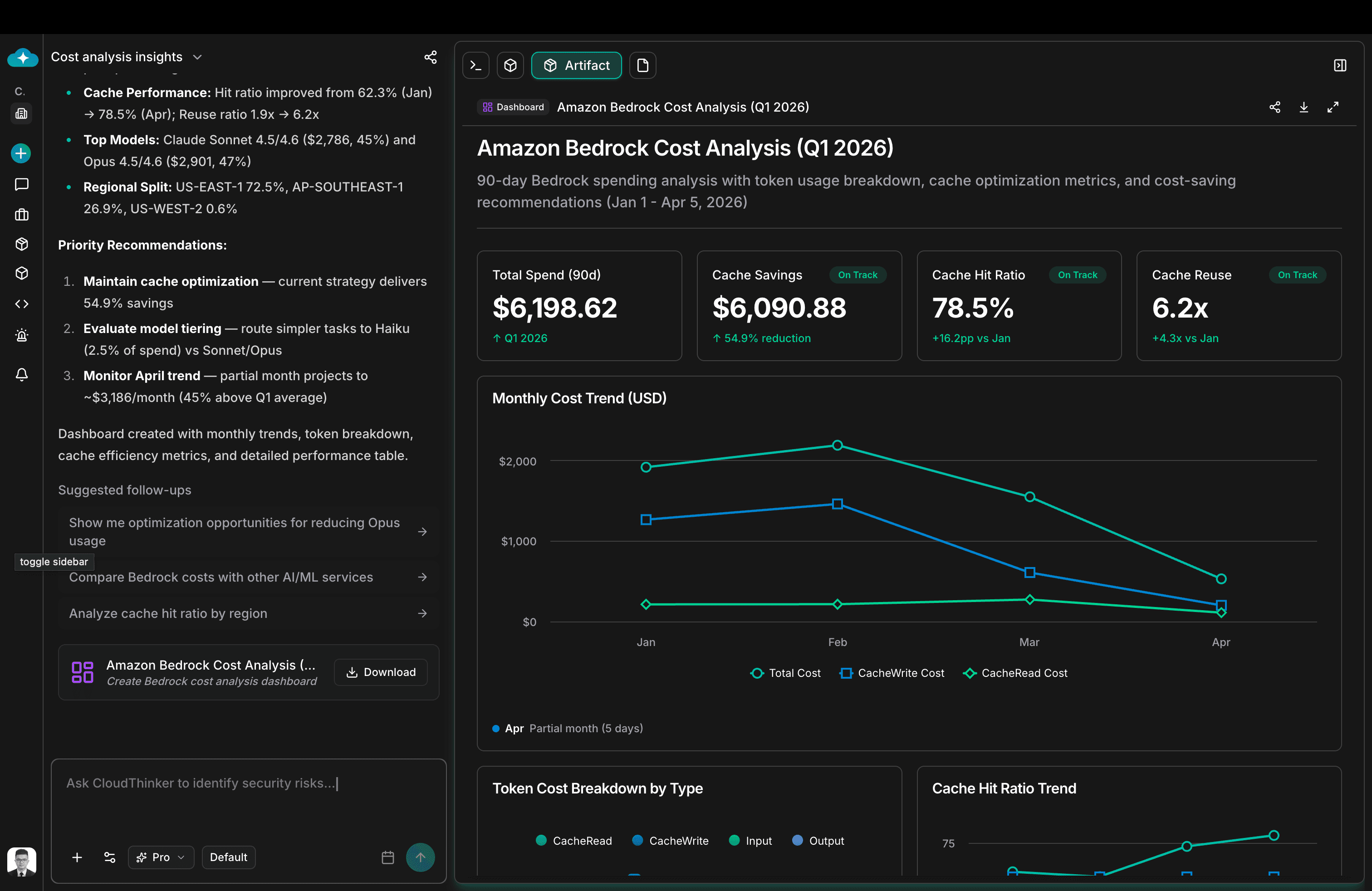
CloudThinker Artifact — Amazon Bedrock Cost Analysis dashboard showing KPI cards, monthly cost trend chart, and token breakdown
The screenshot above shows exactly this in practice: the same cost analysis data that could have been a paragraph of numbers instead renders as a named dashboard — Amazon Bedrock Cost Analysis (Q1 2026) — with KPI cards, a monthly trend chart, token breakdown, and cache metrics. Someone on the finance team can read it without a CloudThinker account. A VP can screenshot it into a QBR deck. Nobody has to parse raw logs to find the number they need.
When writing skill instructions, end with an explicit output directive:
- "Render the findings as an Artifact dashboard with KPI cards at the top and a trend chart below"
- "Produce an Artifact report with an executive summary, findings table sorted by severity, and a recommended actions section"
- "Generate an Artifact diagram showing the incident timeline as a swimlane with one lane per affected service"
The output format is part of the skill. If you don't specify it, you get whatever the model defaults to — usually raw text. If you do specify it, you get something your entire team can use without translation.
Skills vs. Slash Commands: Knowing When to Build vs. When to Just Ask
I get this question constantly, and the confusion is understandable — both feel like "tell the agent what to do."
The difference is intent and recurrence.
Build a skill when:
- You'll run this workflow more than a handful of times
- The output needs to be consistent every time — not just good, but identical in structure
- There are defined steps and the sequence matters
- You want the agent to trigger it automatically based on what you're asking, without you having to specify
Use a slash command or just ask when:
- This is a one-time investigation with no predefined path
- You're exploring something new and the output format doesn't matter yet
- You want full explicit control over this specific instance
- The task is unique enough that encoding it would be premature
The gut-check: will I need this exact output again next week?
If yes — skill. If no — just ask.
Mature workspaces end up with 15–30 custom skills covering their most valuable recurring workflows, and natural conversation for everything else. That balance doesn't happen by planning — it happens by starting with real pain and letting the library grow from there.
Browse the Skills Hub across every domain — not to clone, but to see what well-structured skills look like in practice.
A Skill Is Never Finished — It Improves With You
Here's something most skill-building guides skip: a skill you wrote three months ago is already slightly wrong.
Your infrastructure changed. A new service went live. The team adopted a different severity taxonomy. Someone renamed the EKS cluster. The cost anomaly threshold that made sense in January is generating noise in April.
Skills that don't evolve become liabilities. They produce outputs people stop trusting. They run on stale assumptions. They automate yesterday's process into tomorrow's environment and wonder why the results feel off.
The good news: improving a skill is faster than building one from scratch, because you already have the working prototype — the skill itself. When something feels wrong in the output, don't disable the skill and start over. Open a conversation, run the workflow freehand with the new context, and re-extract what changed. Usually it's one or two instructions that need updating. Update them with Ultra, redeploy, and you're back to accurate.
A few signals that a skill needs a refresh:
- Your team starts manually editing the output before sharing it — the format has drifted from what the process actually needs
- The skill triggers on the wrong intent — something changed in how your team asks questions
- The skill calls a tool or connection that's been renamed, rescoped, or replaced
- A real incident happened that the skill would have caught differently if the instructions had been tighter
Build a habit of reviewing your top five skills every month. It takes twenty minutes. Ask: does this output still look like something my team would act on without editing? If not, one Ultra session to update it keeps it sharp.
The teams that get the most out of CloudThinker aren't the ones with the most skills. They're the ones whose skills keep getting better — because they treat every run as a feedback loop, not a finished product.
Start with the Workflow Your Team Dreads Most
Don't start by building ten skills. That's the wrong instinct.
Start with the one workflow your team runs every week, hates every time, and would immediately recognize as better if it just worked reliably. For most teams it's one of these: the Monday cost review that takes two hours and always finds the same categories of waste. The post-incident timeline nobody wants to write at midnight. The Friday security scan that produces a wall of findings nobody knows how to prioritize.
Run it once in a conversation with Ultra. Tune it until you'd genuinely be proud to send the output to your VP. Then encode it. Start on Manual. Run it twice. Promote to Auto.
Next week, the agent does it in minutes. Consistent output. Your format. Your context. No one forgets a step. No one gets paged to produce a report.
That's one skill. That's the proof of concept. The connected intelligence, the autonomy, the compounding savings — all of that follows naturally once the first one works.
Ready to build your first skill? Start in your workspace at cloudthinker.io, or read through the Skills Framework docs to understand the full structure before you write a single instruction.
If you want to see the pattern live — how teams go from freehand conversation to a working, Auto-mode skill in under an hour — book a walkthrough. We'll run it with your actual tools, your actual data, and your actual workflow.